Fixing the Beepy U2 problem for good using a TPS61023 board
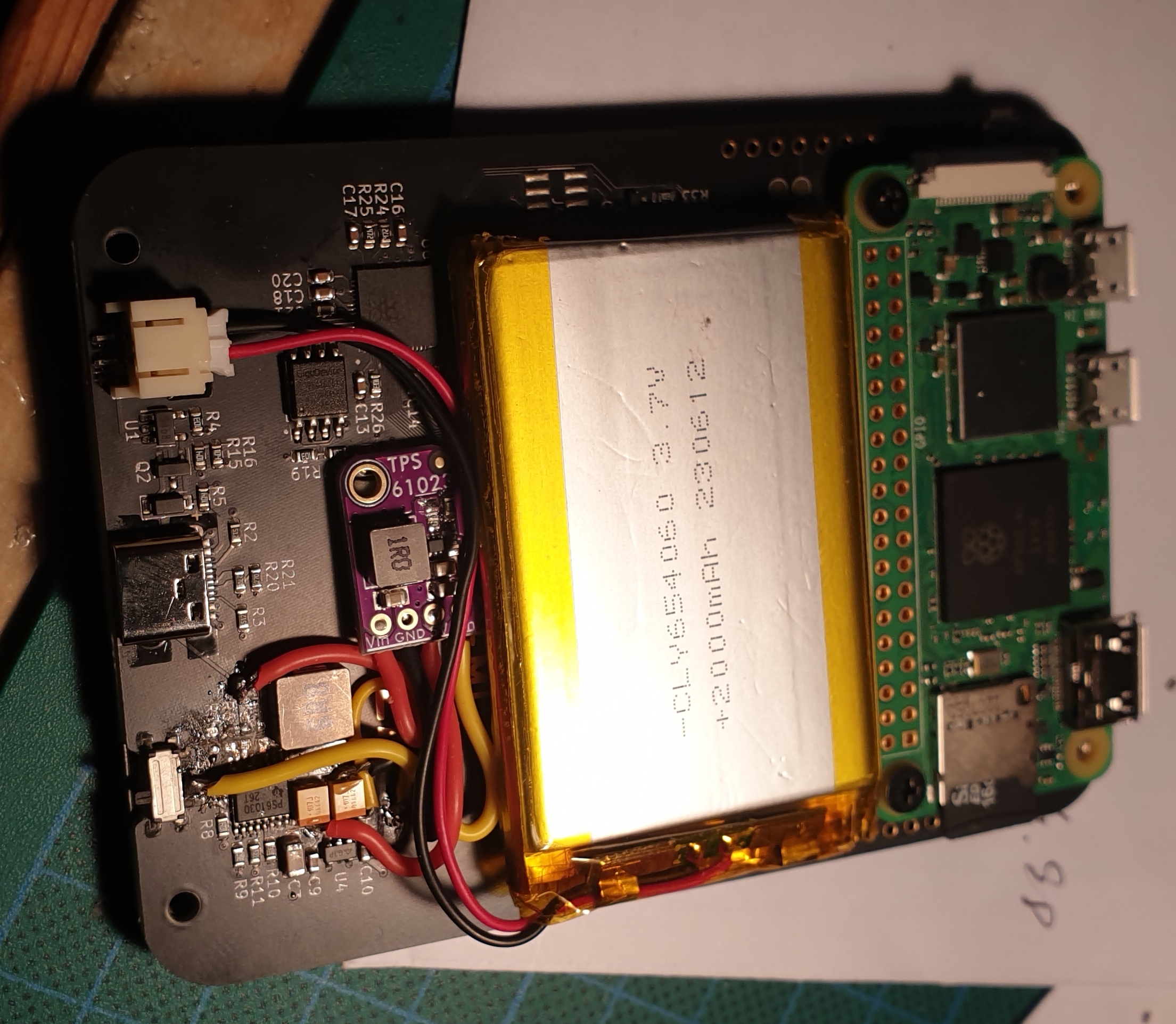
Got a Beepy with U2 that’s gone? This post is for you. Here’s how to fix it with a single part from Amazon/Aliexpress, a knife, and a soldering iron - no hot air required.
U2 is the 5V boost, TPS61090. It dies, a lot, whether you interact with it or not. 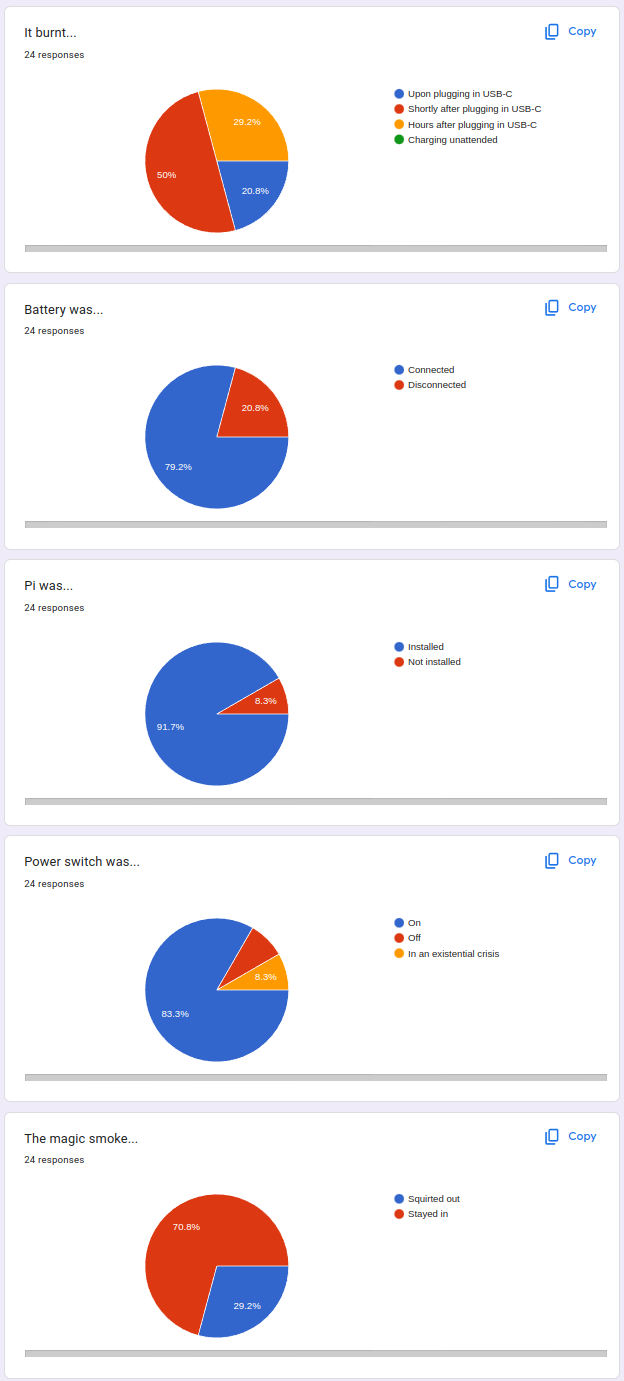
There’s a few possible culprits that people talk about. It could be inappropriate (not corresponding to the datasheet) or inappropriately placed decoupling, or that it’s not well-suited for the task (i.e. unable to do 100% duty needed for 5V passthrough).
I personally definitely blame the layout - that FB resistor placement is utter ass. People - kindly, follow datasheet layout recommendations for switching regulations, they don’t bite! Unless you don’t follow them - then, they will indeed bite you in the ass.
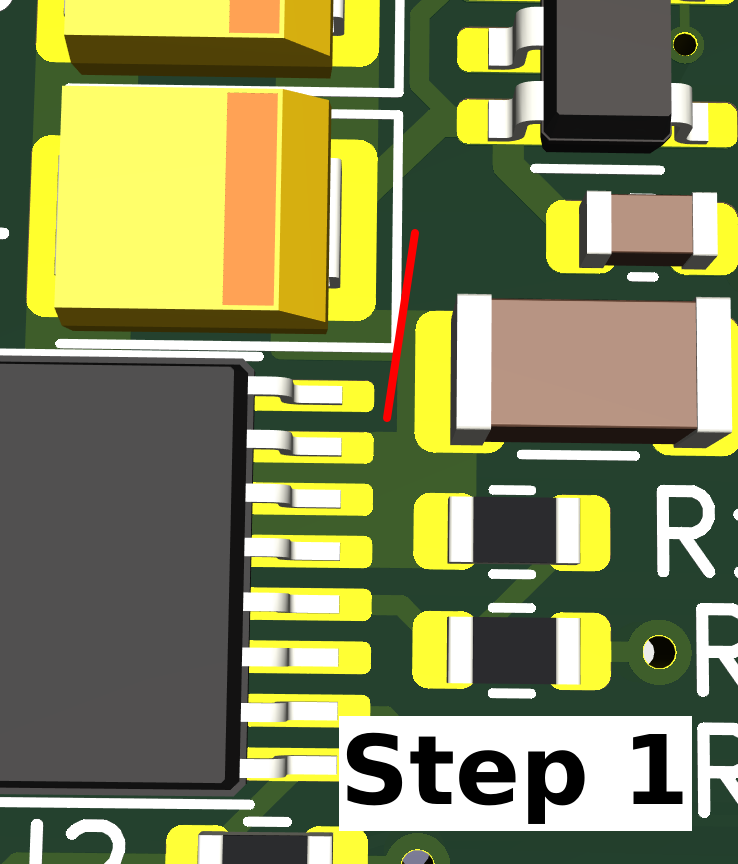
Step 1
Make one copper cut to the right of the U2, as marked by the red line. to the right of it, when looking at the board. You must make the cut in the specific spot marked with red line.
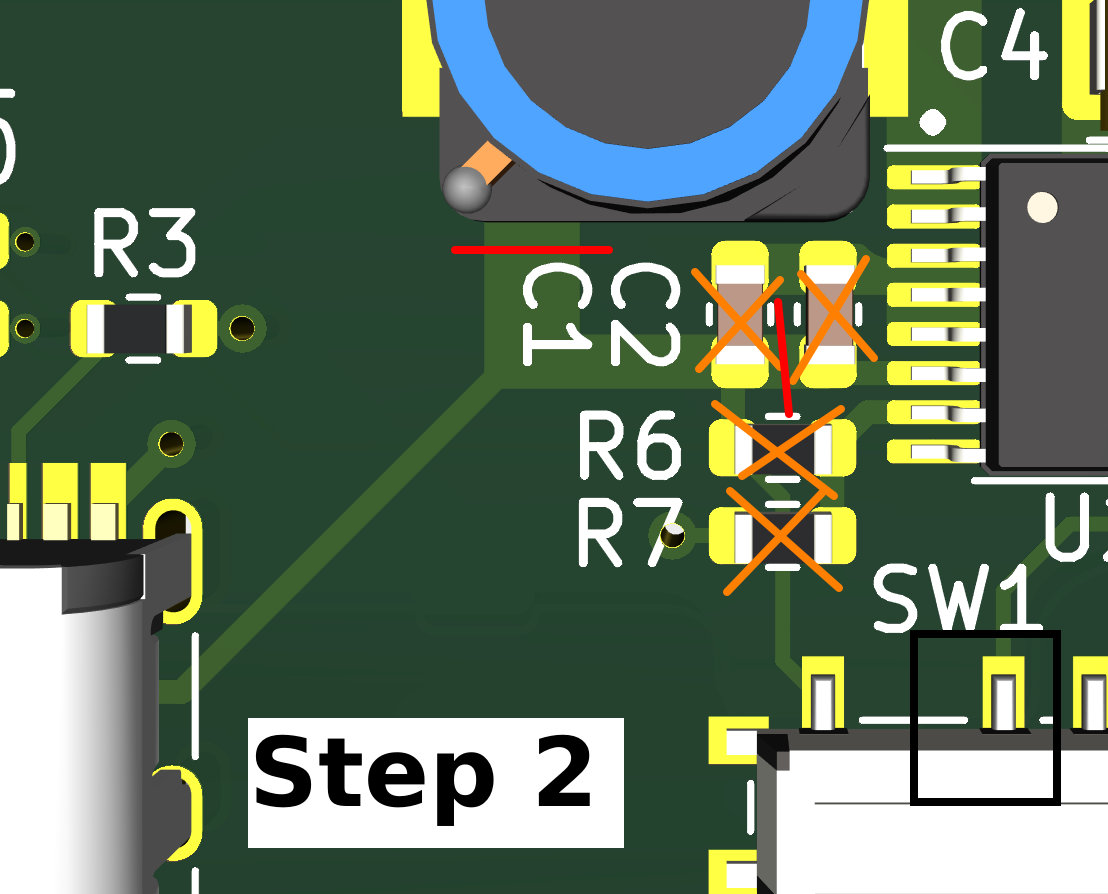
Step 2
Make two cuts to the left of U2, again, exactly as shown with red lines. Remove four components crossed out in orange.
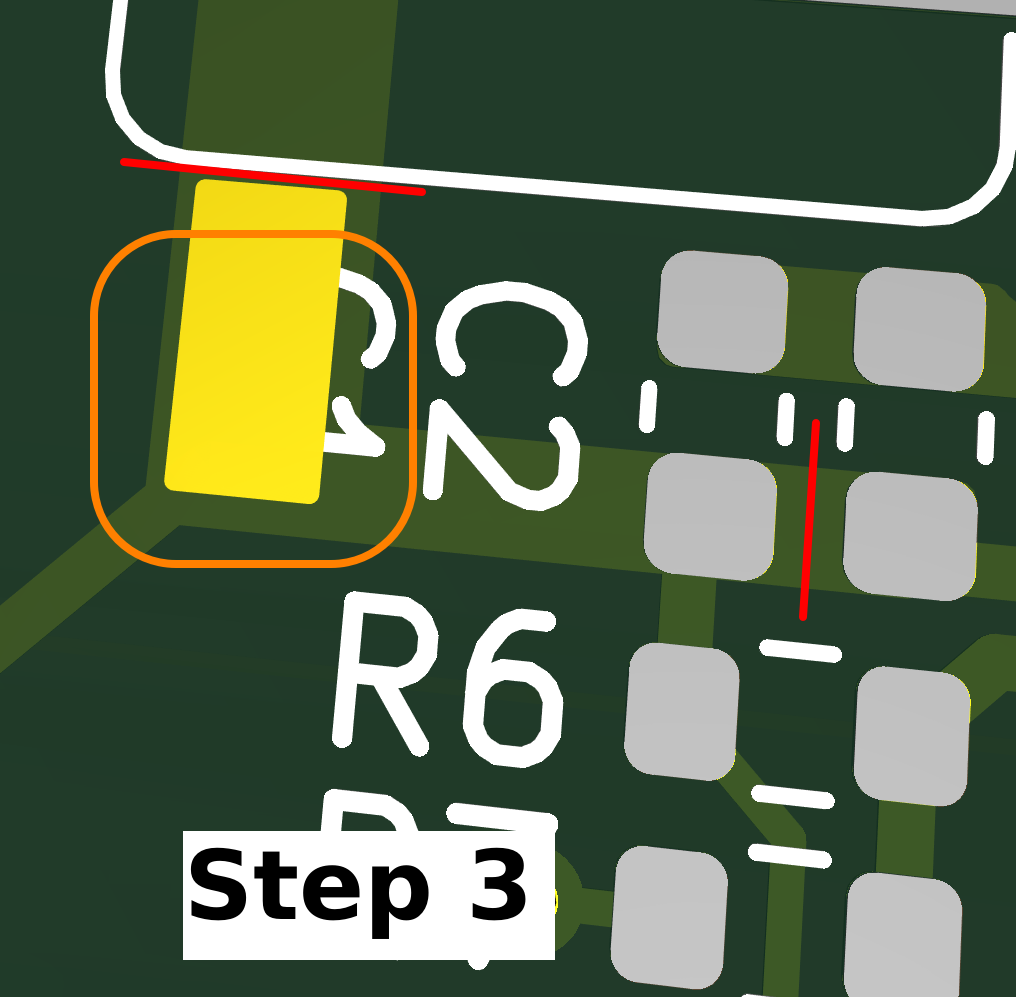
Step 3
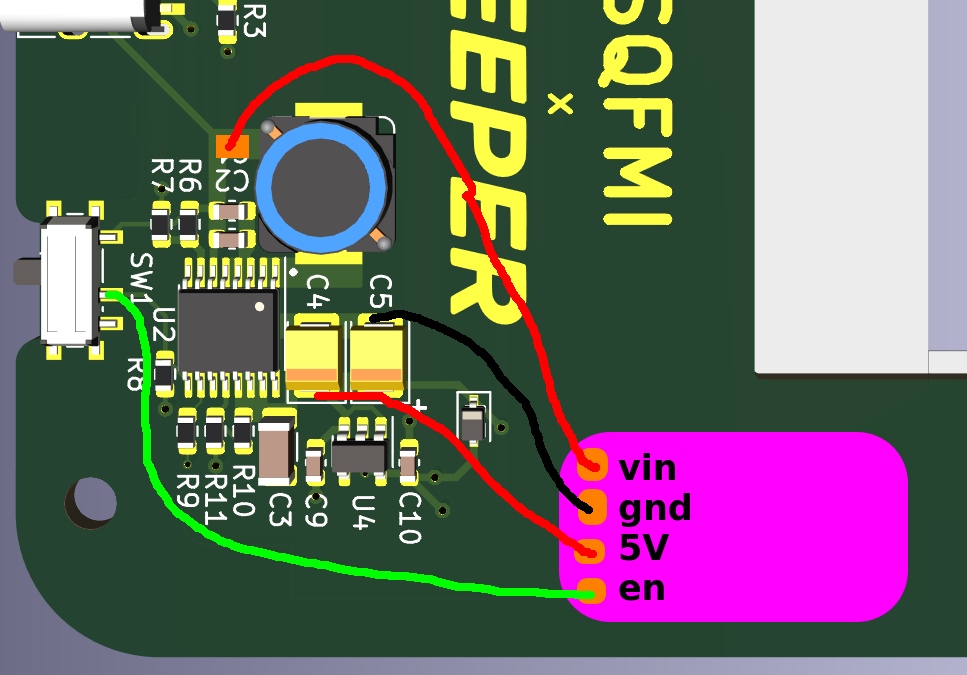
Clean some soldermask right under the C1 label, enough that you can solder to the copper and attach a wire. This will let you tap the TP61023 into the U2 Vin.
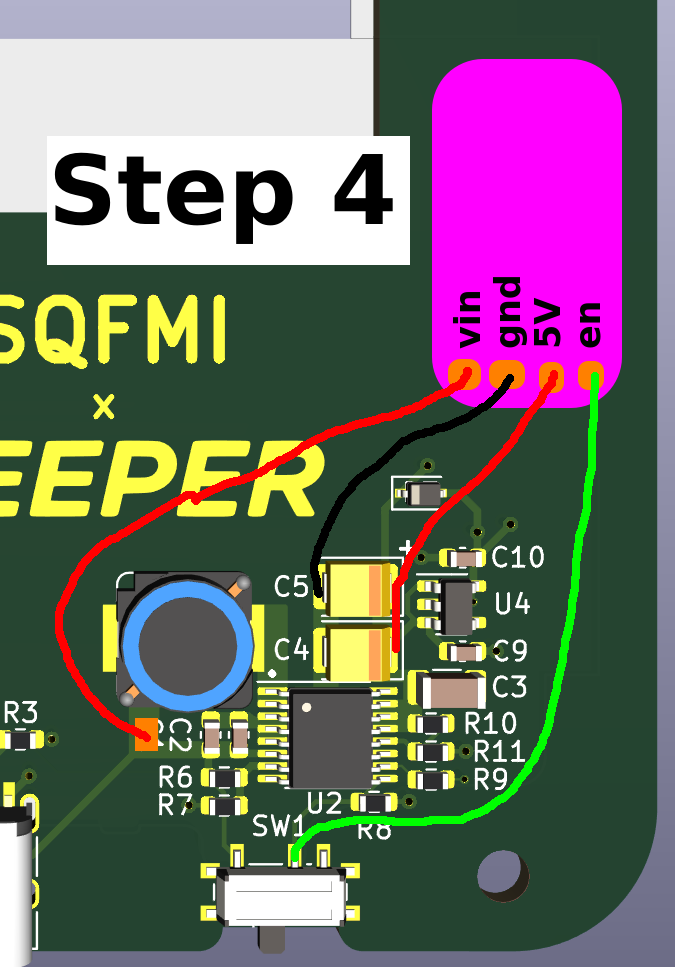
Step 4
Use 4 wires to connect the TPS61023 breakout board into the Beepy board, replacing the U2. 5V and GND wires can be soldered onto either of the two yellow capacitors. The green-marked wire must be soldered to the slide switch middle pin.
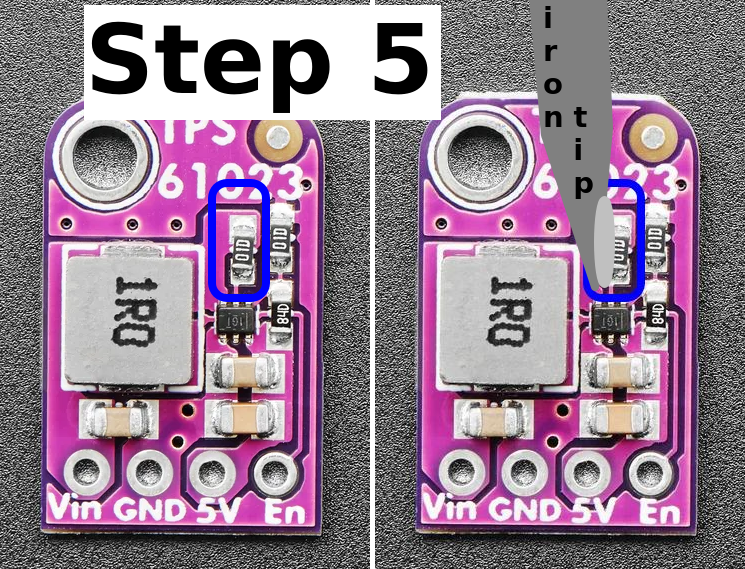
Step 5
Remove one resistor from the TPS61023 board, to make the Beepy power switch function properly again. Without this, your Beepy’s 5V regulator will always be on, irrespective of the slide switch position.
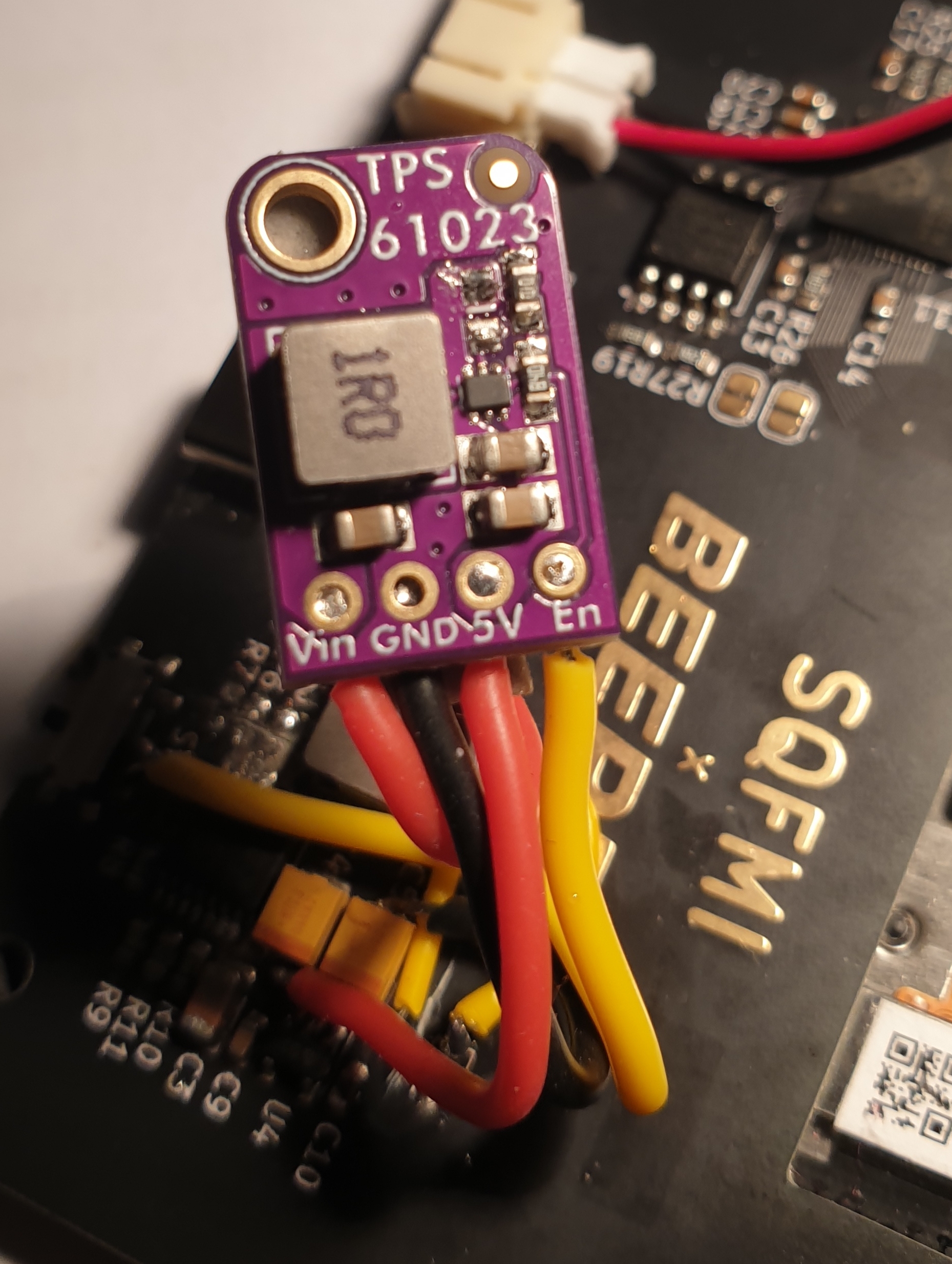
Now, tuck the TPS61023 board away somewhere. If all instructions were performed correctly, your Beepy shall serve you well and reliably once again!
Want to learn more about the fix? You’ll find a discussion about it on Beepy discord quite easily.
IRL pictures courtesy of [dave17] on Discord. Graph courtesy [tap0] on Discord.
If you think that this is bad advice, contact me somehow and let me know. Cheers!