Antenna sourcing for dummies
Are you looking out for antennas? Need a few uFL-connected marvels for specific frequencies (WiFi/LoRa/4G)? Got five RF modules on your PCB and you’re running out of edges to place them at? Is your Aliexpress-sourced fancy “2.4GHz” patch antenna performing worse than a ESP32 module’s built-in PCB squiggle? Here’s how you can get a bundle of antennas for your devices.
The first part of the secret is getting antennas on LCSC. When buying Aliexpress antennas, you’re given scarce and often mis-transcribed info, little traceability, no guaranteed to be able to buy it again, and you’ll often be given a low-res datasheet screenshot instead of a PDF. On LCSC, you get decent prices (especially for larger QTYs), better selection, traceability to a manufacturer (which you can often contact directly afterwards!), and a way better shot at buying what you really need.
The Big LCSC Caveat
How to pick antennas on LCSC? Go to the RF Antennas category, click “In Stock”, “Apply Filters”, and:
- DO NOT CLICK ANY OTHER FILTERS
- DO NOT USE THE SEARCH FIELD unless you need a generic antenna quick
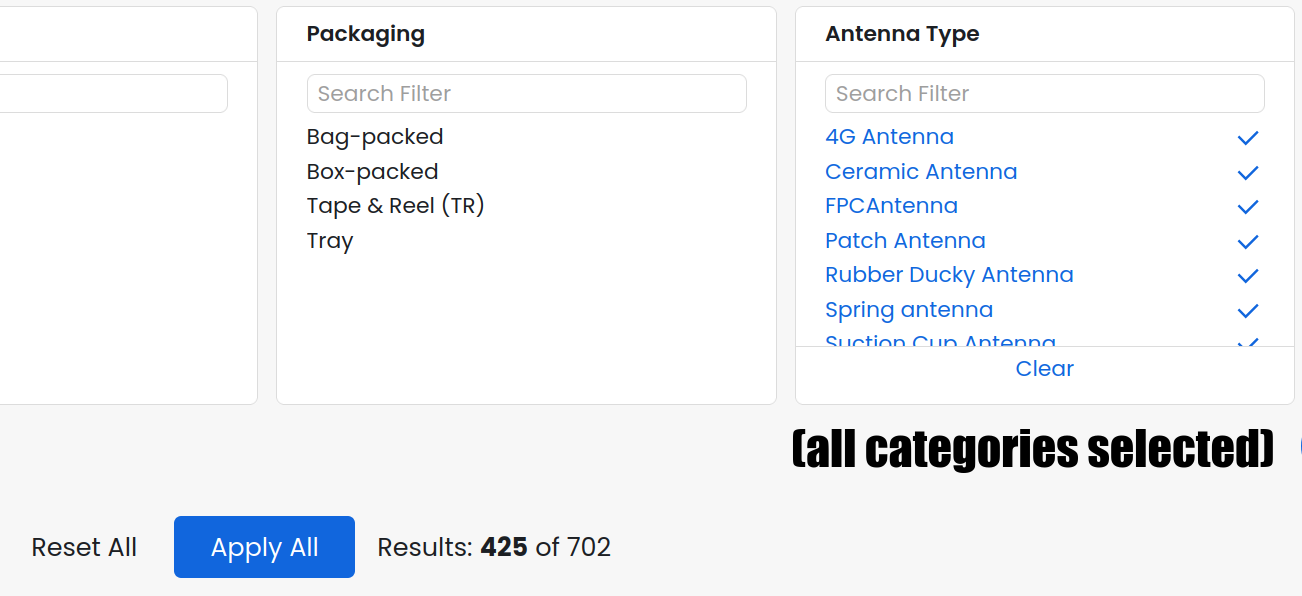
Clicking filters other than “In Stock”, using search, etc. runs a big risk of hiding half of your options. This is because of a long-standing bug in LCSC where manufacturers can omit a field in the product description, and the product listing will NOT show up in the - category for the field. For instance, clicking any filter in the “Antenna Type” area will immediately hide 377 out of 702 antennas currently available. Losing 47% of your choices from the get-go, that’s pretty limiting
So, DO NOT use any filters other than In Stock. Currently, that’s 702 antennas - only 7 pages when you select 100 items per page. So click “100/page” next. You’ll see SMA and RP-SMA, tiny SMD antennas, GPS antenna blocks, coil antennas, a ton of uFL-cabled PCB antennas, and even some outdoor-grade antennas you could see on a car… or a cell tower.
Then, start scrolling!
Finding What You Need
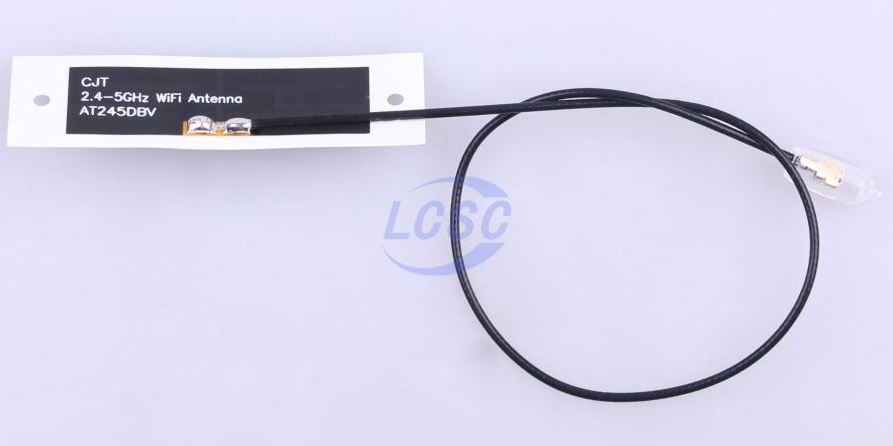
A lot of the antennas will straight up state the target frequency ranges on image-visible markings. For those that don’t? Every antenna I can see, has a linked PDF datasheet, and the frequency is always mentioned inside the PDF - scroll down, and if an antenna looks vaguely like what you need, click that red button.
One thing that’s going to be hard to determine, is antenna performance. Most datasheets don’t provide any sort of graph - for those that do, the graph will just be impedance at different frequencies, not related to actual antenna performance, mostly just telling you how happy your transmitter will be with driving the antenna. There’s plenty of choice though, so maybe the best solution is buying a bundle of different antennas, and simply trying them out in real life - there’s no substitute to IRL testing anyway.
Most patch antennas will be uFL, but beware - you might also encounter wFL, known as MHF4, used for WiFi and LTE antennas on M.2 cards. There’s a clear visual difference and the datasheets will state which one you’re getting, but you gotta watch out for it. ALso, hopefully uou don’t encounter something like IPEX3, which looks almost exactly like MHF4, but it does NOT fit the same connectors.
That’s about all you need to end up with a bunch of antennas to that don’t turn out to be mislabeled, outright undocumented, or soon to become unobtainium. May your devices keep communicating smoothly!
If you think that this is bad advice, contact me somehow and let me know. Cheers!